Rightway Healthcare

Medical Concierge / PBM

Company

Rightway Healthcare

Product

Benefit CMS

Approach

Desktop

Framework

React/JS

Platform

Web

Smarter Plan Creation: One Flow, Digital Review, and Locked Approval

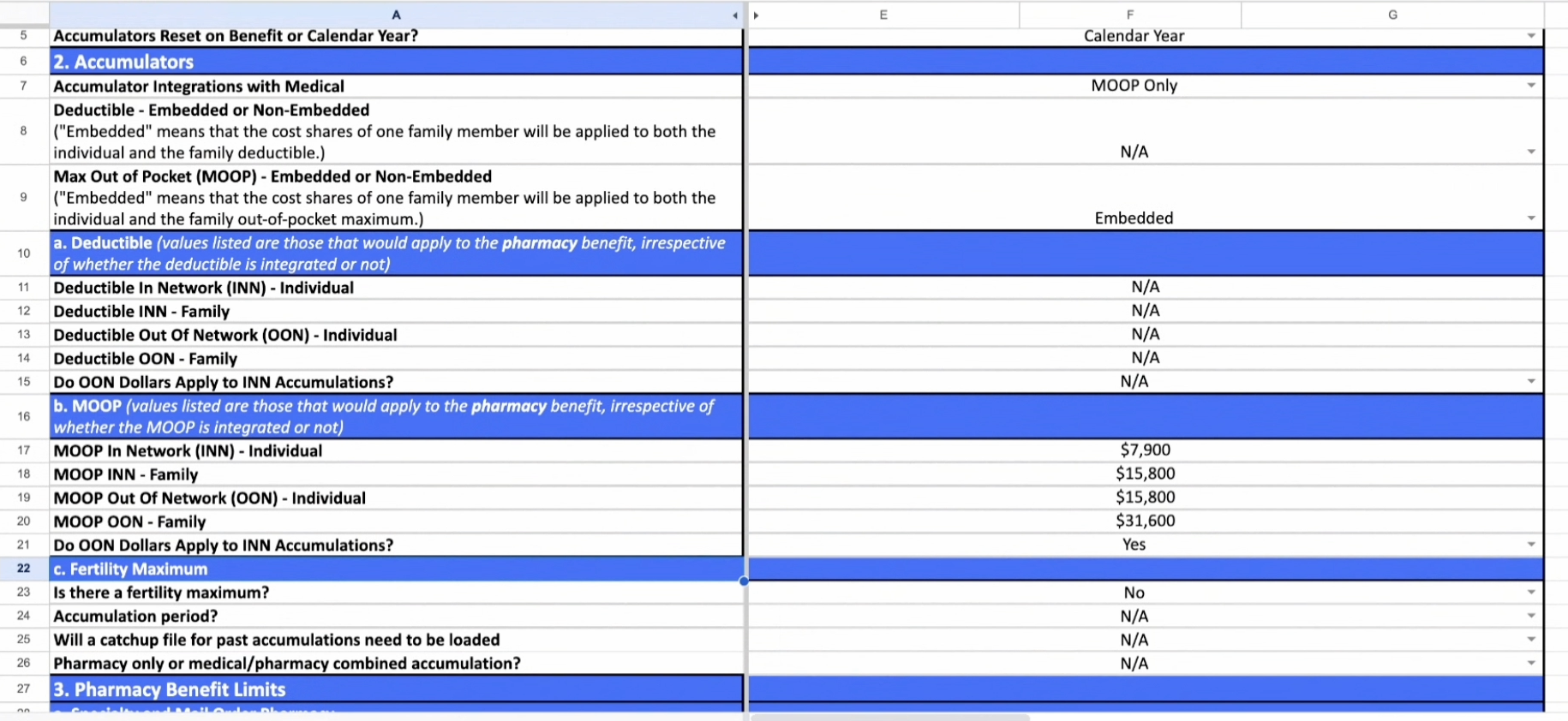
Pain Points

  • Health Guides had to toggle between multiple tabs while creating plans, often missing mandatory fields.
  • Members only reviewed plans over long phone calls, creating back-and-forth confusion and delays.
  • If a member wanted changes, the Health Guide had to manually track edits and re-explain the plan.
  • Finalizing plans was error-prone; missed fields or unapproved edits delayed sign-off and implementation.

Key Features

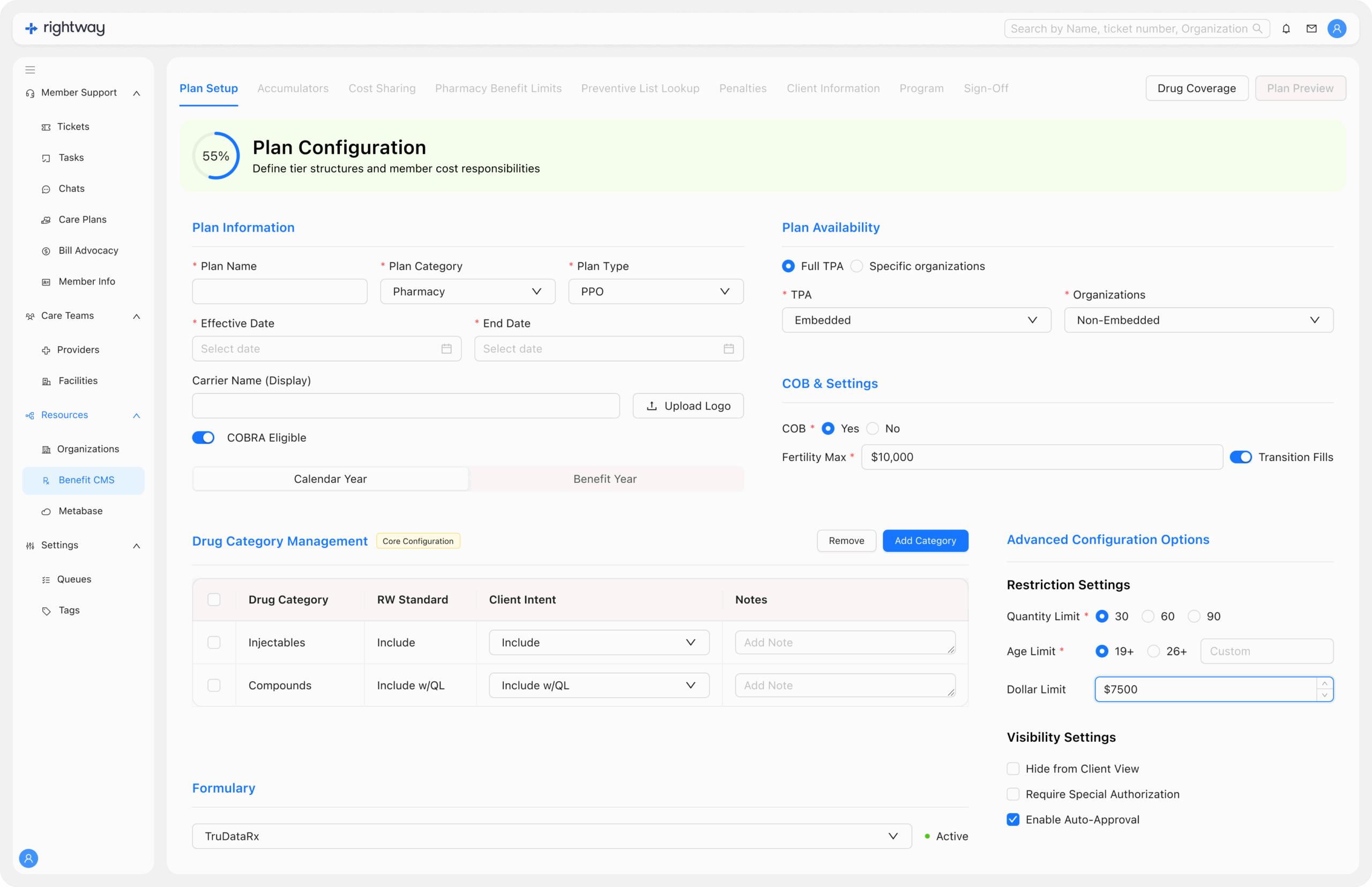
  • Step-based workflow with 50% data requirement before advancing.
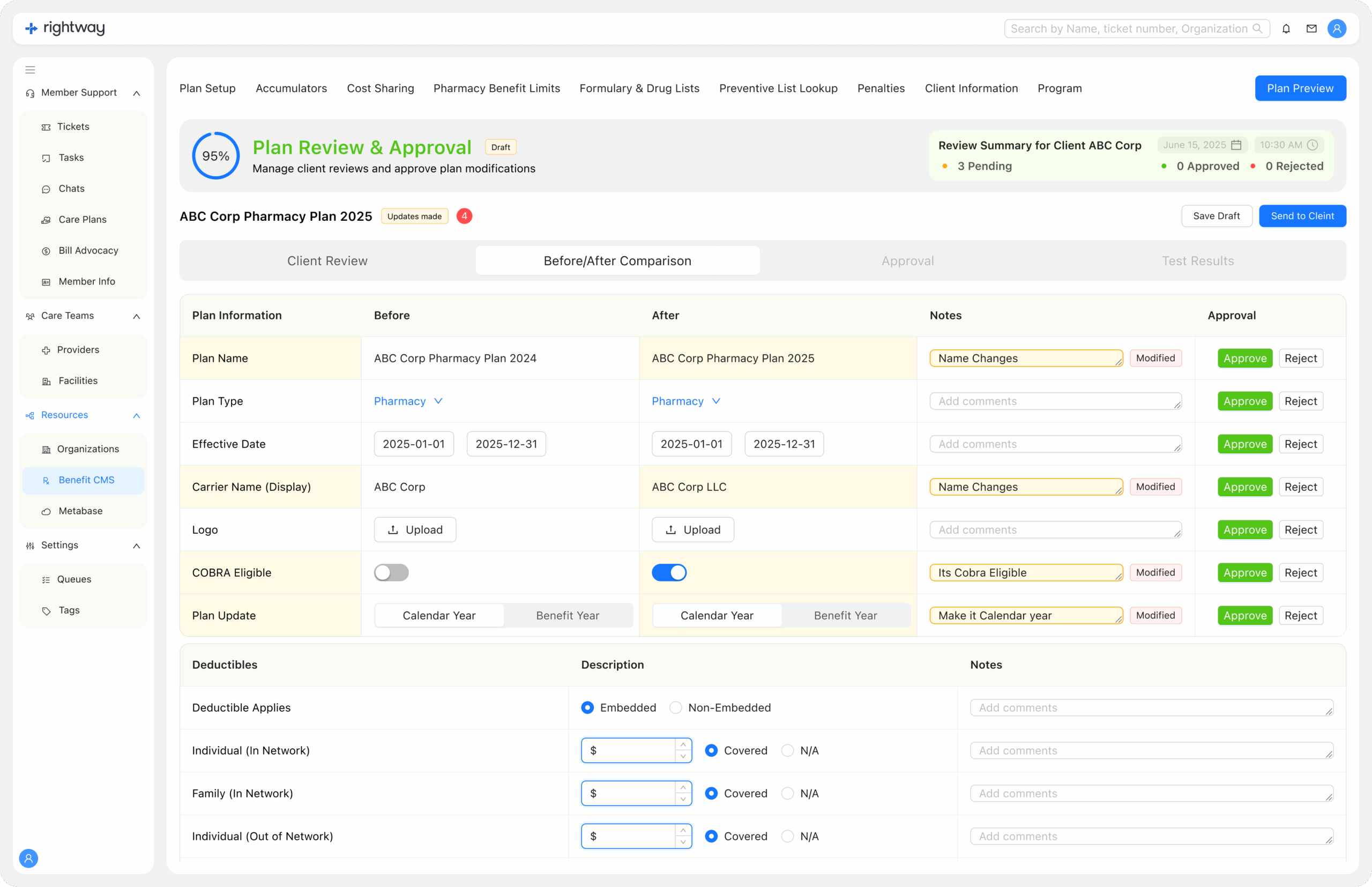
  • Member portal integration: members can make edits, submit feedback, and review changes online.
  • Change indicators highlight exactly what’s been updated.
  • Digital sign-off & lock: once approved, the plan is locked and ready for implementation.
  • Exportable plans with attached compliance and cost documents.
  • Built on Ant Design system with consistent 8-point grid alignment.

New Design

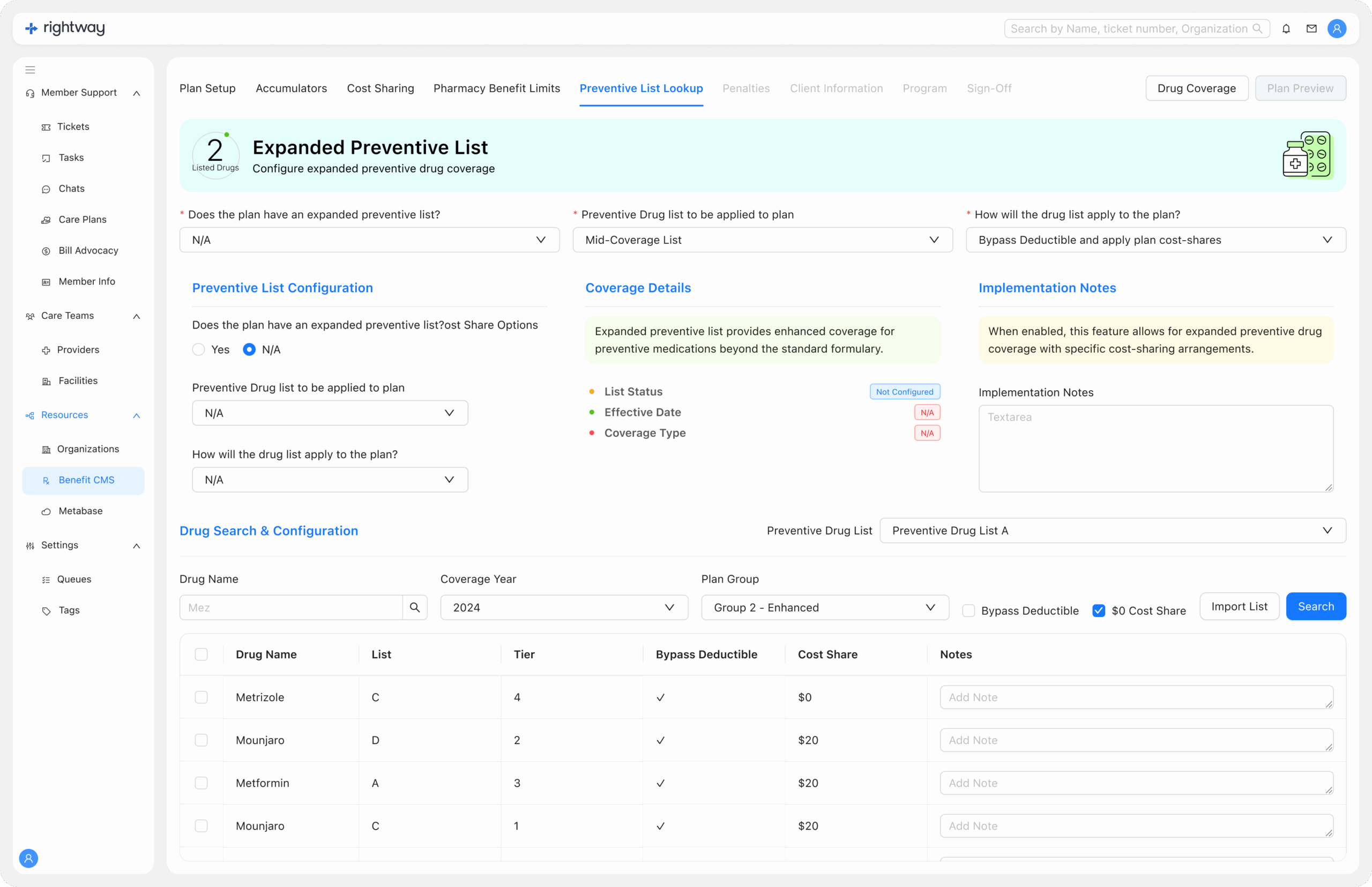
  • Introduced a guided step flow: Health Guides complete one section at a time, with mandatory fields enforced before moving forward.
  • Redesigned Advocate platform with a cleaner UI: top bar, side menu, 8-point grid, and clear proximity grouping.
  • Enabled client portal review: members receive draft plans digitally instead of only over calls.
  • Automated change tracking with visual indicators for edits.
  • Added plan lock on approval to ensure compliance and prevent accidental edits.

1. Plan Setup

  • Health Guides enter plan details step by step (instead of toggling across tabs).

  • Mandatory fields must be completed before advancing, reducing the chance of missing critical data.

2. Plan Preview

  • The full plan is generated and displayed for review.

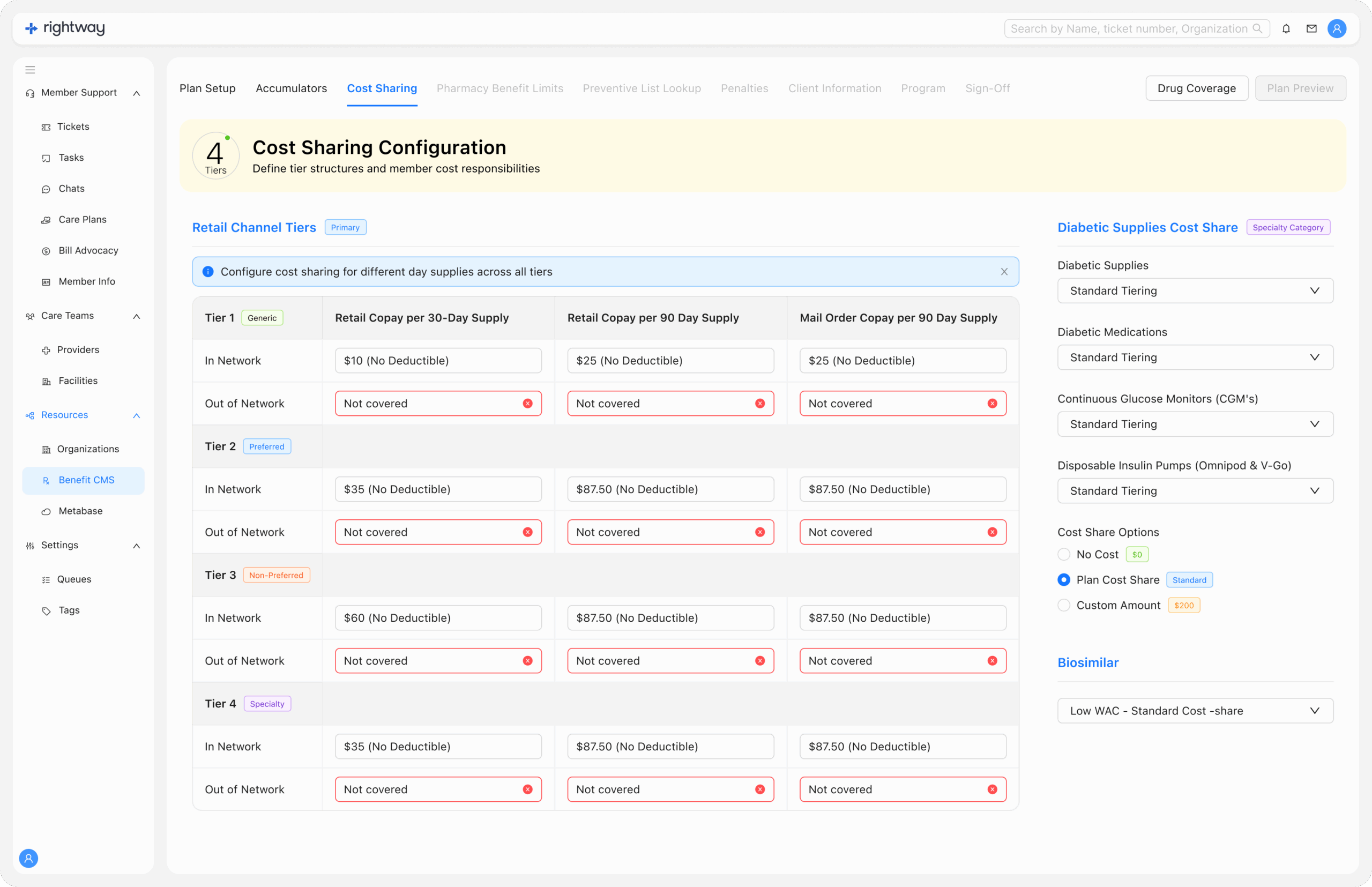
  • Includes cost-share options, preventive lists, and care plan rules.

  • Health Guides and admins can check accuracy before pushing forward.

3. Client Review

  • Draft plan is sent for client/member review via portal.

  • Members can make edits directly (e.g., coverage preferences, preventive drug list).

  • Any changes are flagged with indicators for Health Guide review.


4. Sign-Off

  • Once both sides are aligned, Health Guide or client signs off on the plan.

  • Sign-off confirms agreement on costs, coverage, and care components.

5. Approval & Lock

  • Final approval locks the plan in the system.

  • Prevents further edits unless explicitly unlocked by admins.

  • Plan is now ready for implementation across pharmacy and care platforms.

6. Export & Documentation

Complete plan can be exported with all documents attached (compliance, pharmacy rules, cost-sharing breakdowns).

Stored securely with plan security settings.

The Impact

  • Reduced missed fields and incomplete plans by enforcing required steps.
  • Eliminated repeated, time-consuming phone explanations—members now self-review and send changes asynchronously.
  • Streamlined Health Guide workflow, minimizing errors and toggling across tabs.
  • Improved collaboration between Health Guides, clients, and members with digital-first review and approval.
  • Faster plan activation with automated lock and compliance-ready exports.

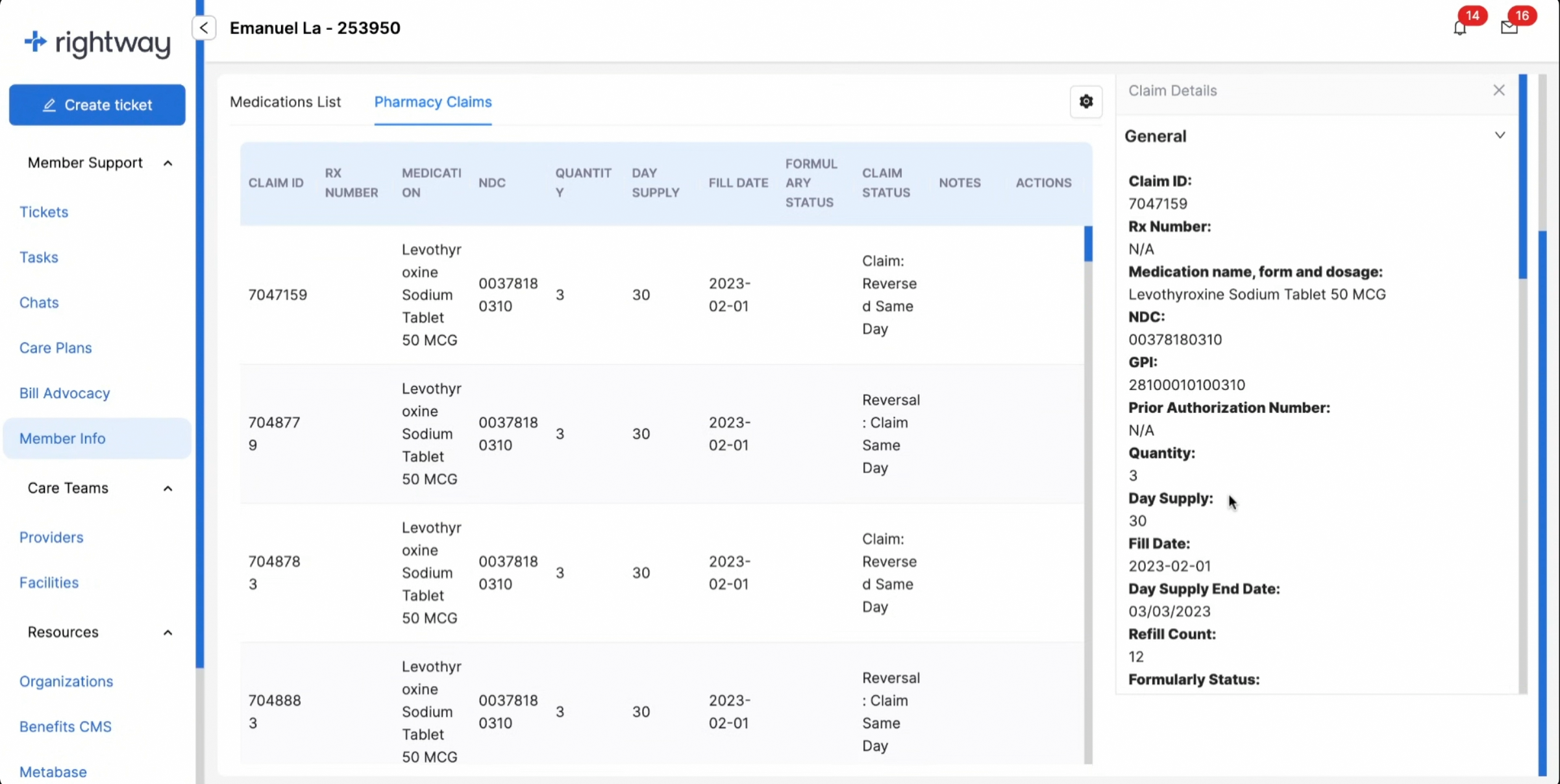
This is how it looked