Built on New Design System → WCAG AA accessibility, modern look, consistent UI.
🔴 Pain Points (Old Flow)
Too many steps; clients often gave up and called the practice → defeating “self-service.”
Clinical, unfriendly tone made it intimidating for new clients.
No practice branding (logo, name, colors) → felt generic, low-standard, outdated.
Appointment types shown in clinical lingo → confusing for non-medical clients.
No mobile-first design; copy was dense and not adaptive.
New Unified View
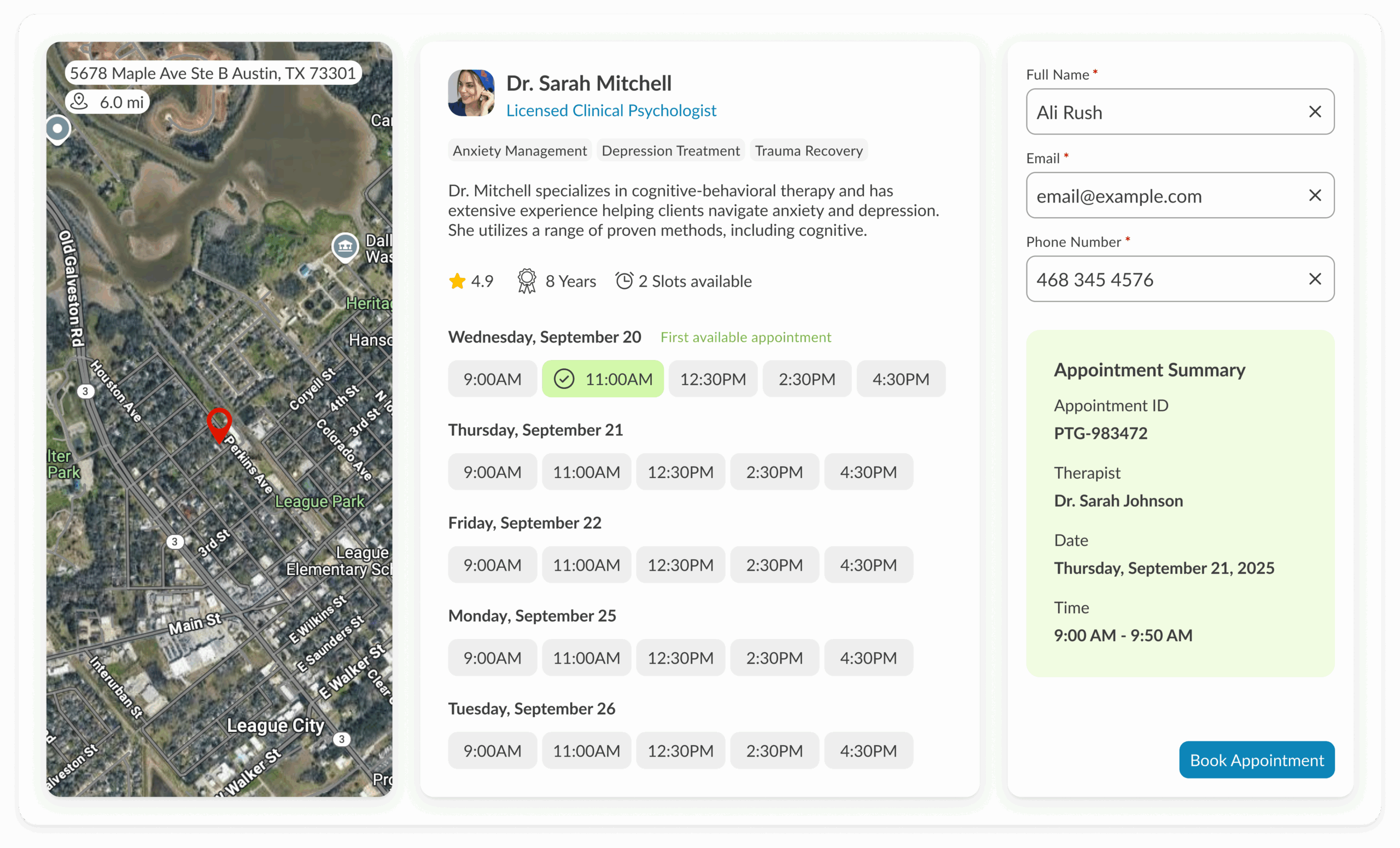
Streamlined into just 2 steps — simple, clear, fast.
Practice branding front and center → logo + name for trust and recognition.
Tone shift: personal, friendly, mobile-ready copy.
Two flexible paths for users:
Symptoms-based flow → mapped to appointment types (no clinical jargon needed).
Default dropdown → simple appointment list (fallback for clarity).
Doctor discovery flow → select provider → filter options → view real-time time slots.
Slide-in info capture + submit → intuitive request completion.
Built on new design system → accessibility (AA), consistency, and modern look.
The Impact
Reduced Drop-Offs → A shorter, friendlier 2-step flow cut down on clients abandoning the process.
Fewer Support Calls → Clear options (symptom-based or appointment dropdown) let clients self-serve instead of calling the practice.
Improved Brand Perception → Adding practice branding and shifting tone from clinical to personal made the experience feel modern, approachable, and mobile-first.
Increased Scheduling Efficiency → Real-time slot visibility + provider filtering helped clients book the right appointment faster.
Billing & Care Team Relief → By reducing friction, front office and billing staff no longer had to re-enter or troubleshoot client requests as often.
Consistency Across Products → Built with the new design system, aligning scheduling with the refreshed ICANotes experience.