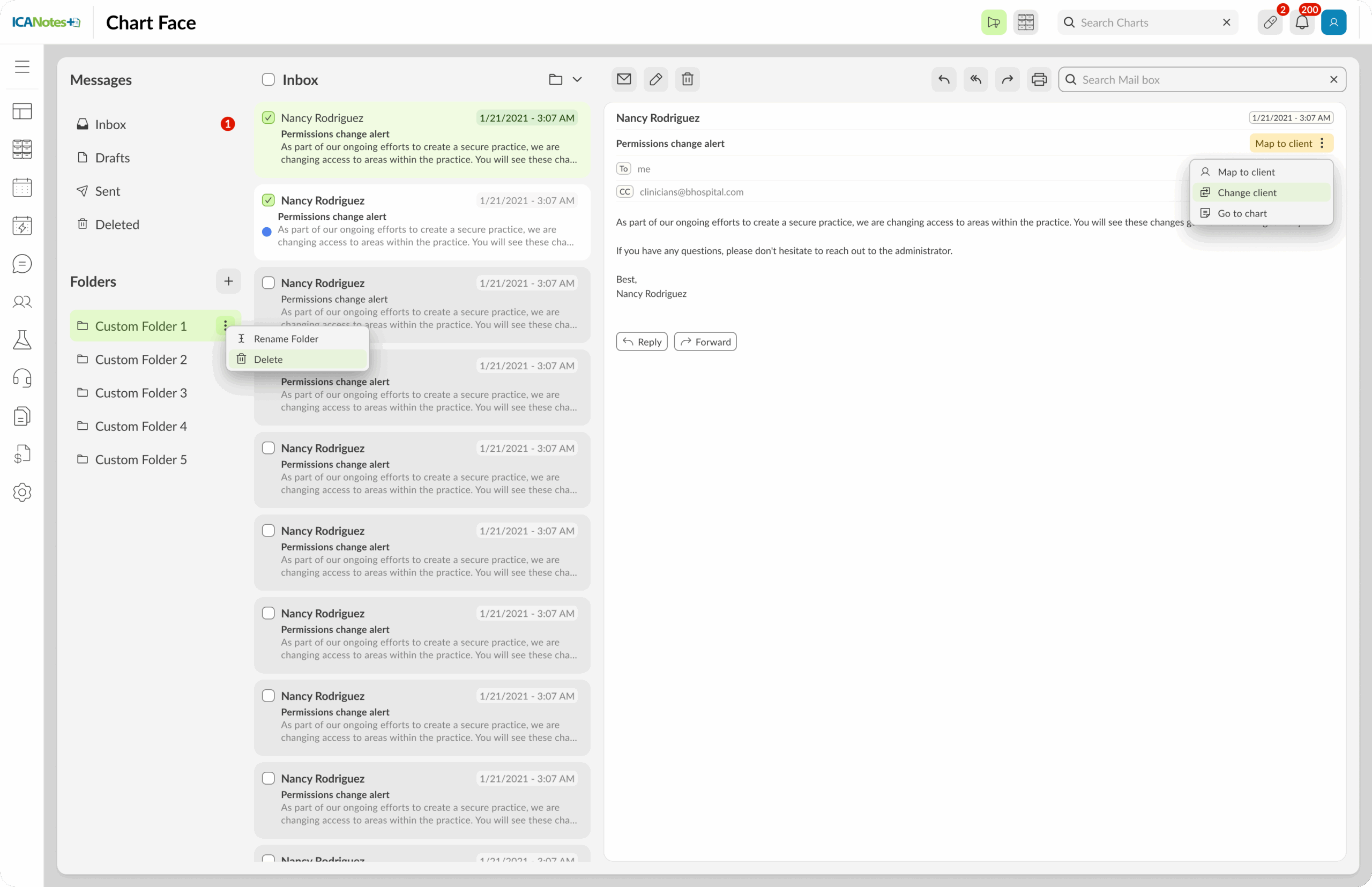
Compose, Reply, Forward: Full messaging capabilities within the app, like email-style communication
Automatic Draft Saving: Messages in progress are auto-saved as drafts if you navigate away.
Print & Delete Options: Easily print or delete messages directly from the message interface.
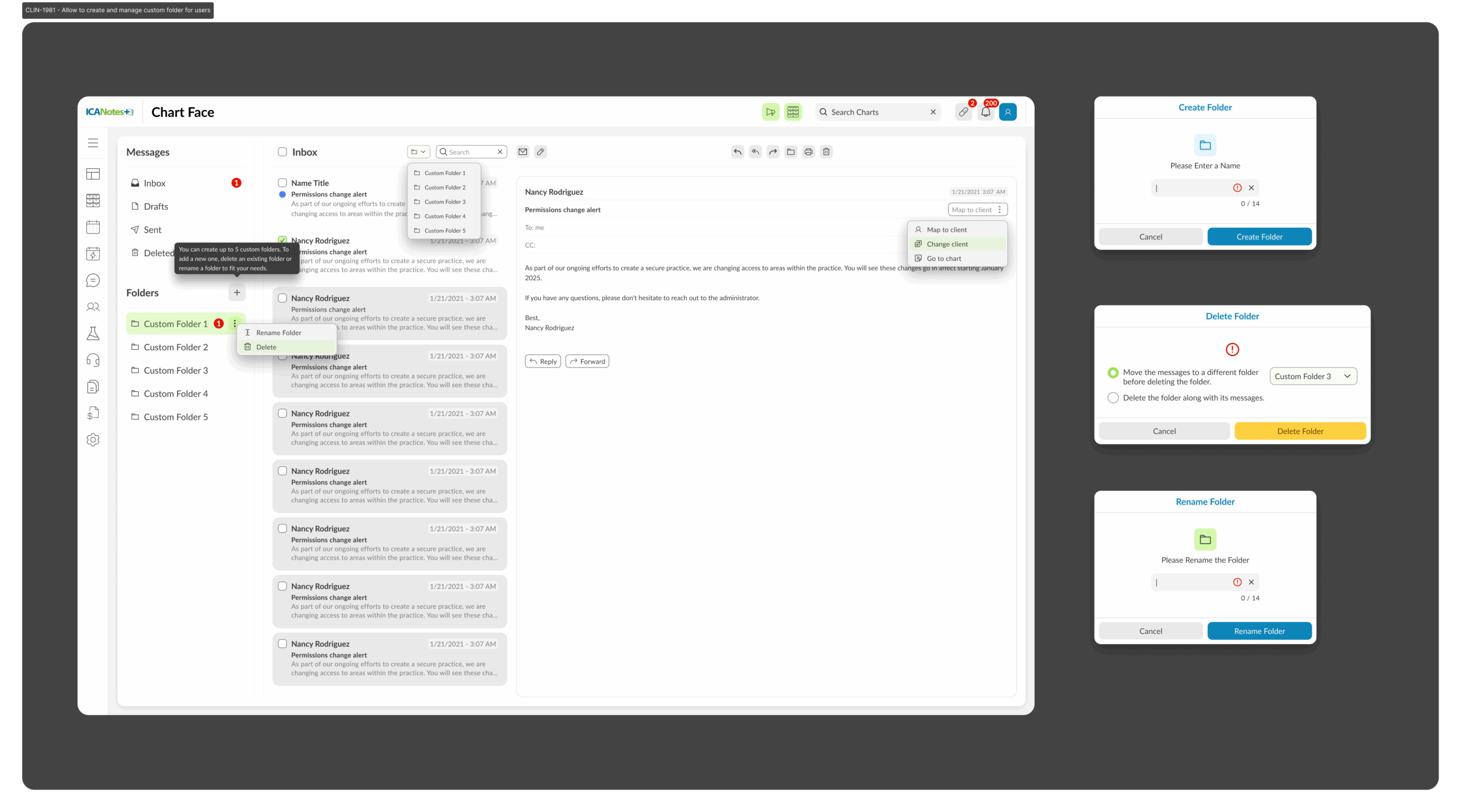
Custom Folders: Create, rename, and delete up to five folders to organize your message inbox.
Move Messages Between Folders: Better email organization with drag-and-drop or folder icon dropdown.
Notification Badges: A bubble with unread message count appears, keeping you in the loop at a glance.
Role-Based Access: Staff only see the conversations relevant to their work.
Search Within a Folder: Keyword search limited to subject line and current folder—helps find messages quickly.
Map Messages to Client Records: Associate messages with specific clients — helpful for case-tracking and HIPAA-compliant messaging.
🔴 Pain Points (Old Flow)
Practices relied on fragmented communication, juggling Google and third-party hosting service emails for internal and external messaging. This created friction, risk of missed messages, and no consistent record within the clinical workflow.
New Design
The new Message Center brings all communication inside ICANotes. Internal staff, providers, and clients can now message in one place, using a clean UI aligned with the design system. Conversations are threaded, searchable, and tied to patient context — eliminating scattered emails and ensuring secure, reliable communication.
The Impact
Practices gain a single, branded, HIPAA-compliant messaging hub. The tone shifts from disjointed and clinical to personal, clear, and easy to use — helping staff stay on track and patients feel more supported.