ICANotes EHR

Behavioral Health

Company

ICANotes

Product

Billing - Claims Edit

Approach

Desktop

Framework

Angular

Platform

Web

Billing Reimagined: From fragmented, tab-heavy workflows to a clean, unified experience—simplifying claims for everyone.

New Features in Billing Worklist

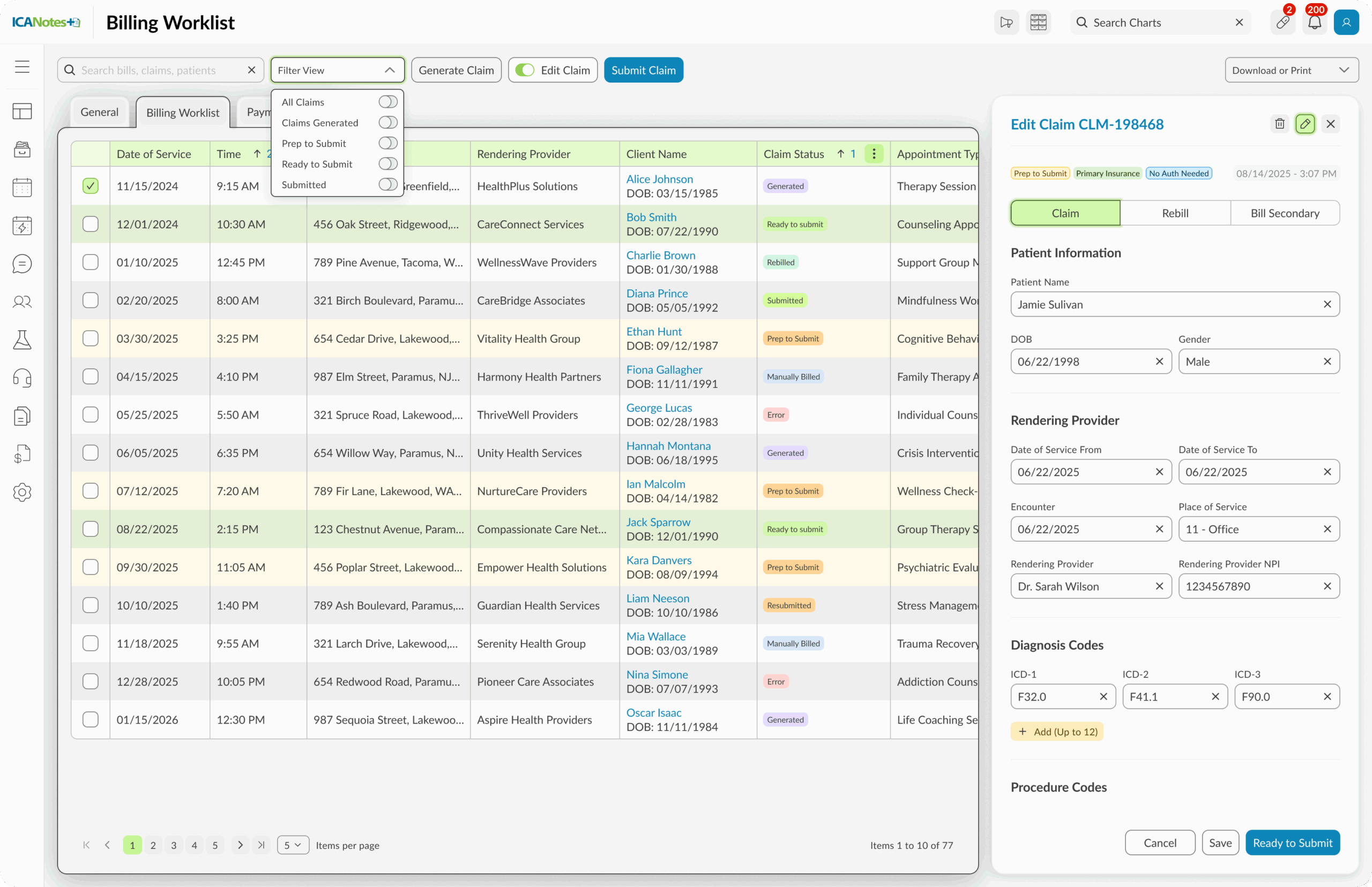
Unified View

Global Search Bar

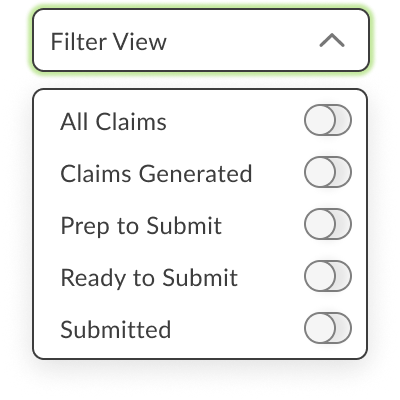
Global Filters

Prominent Generate Claim Action

Edit Mode

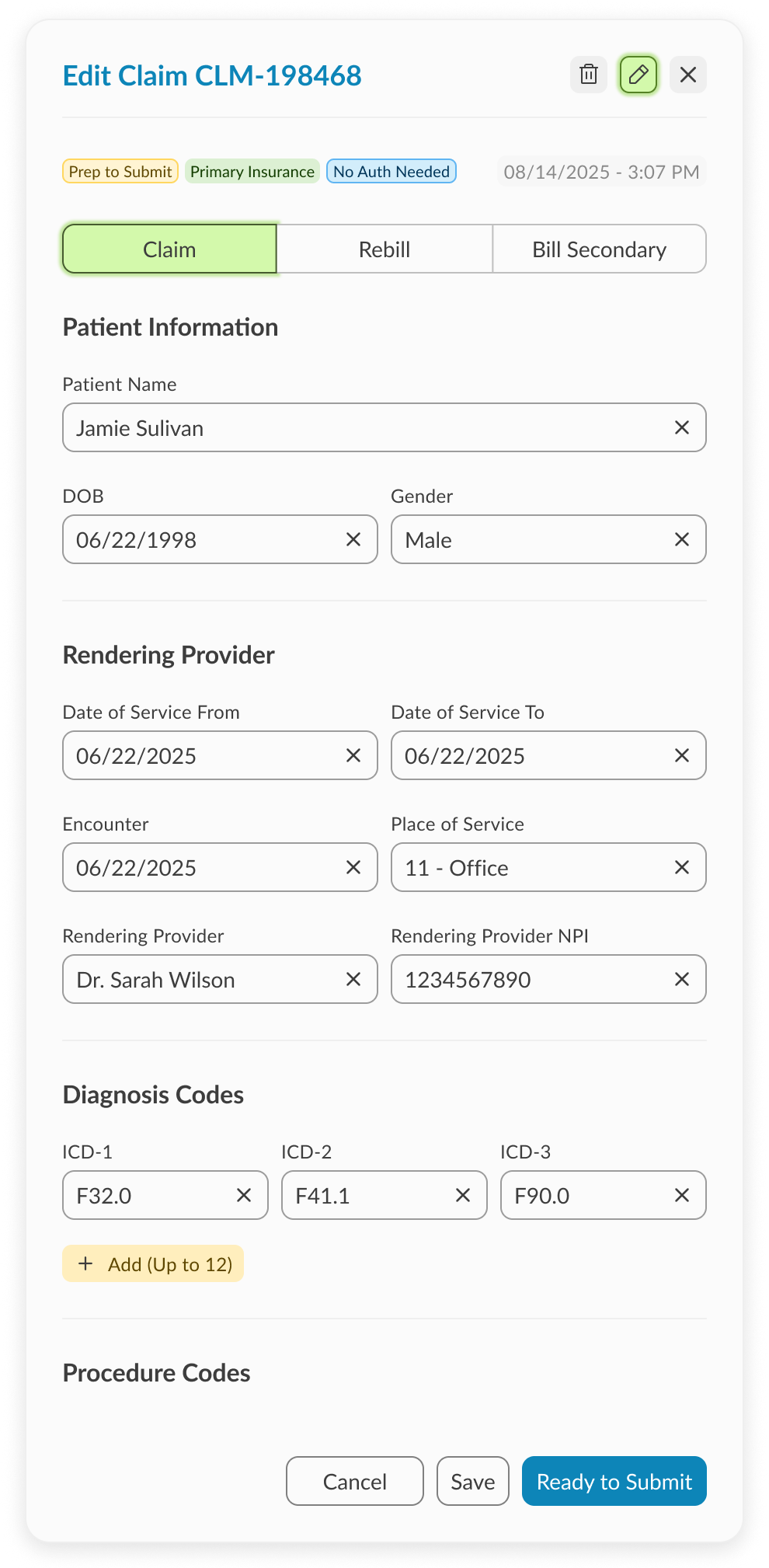
Slide-in Edit Modal

Progressive Completion

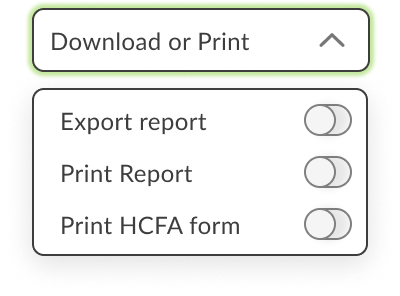
Export + Print Options

AA Accessibility-Compliant Design System

The Challenge

The existing billing worklist was built around three separate tabs:

  • Appointments Without Notes

  • Unbilled Encounters

  • Billed Encounters

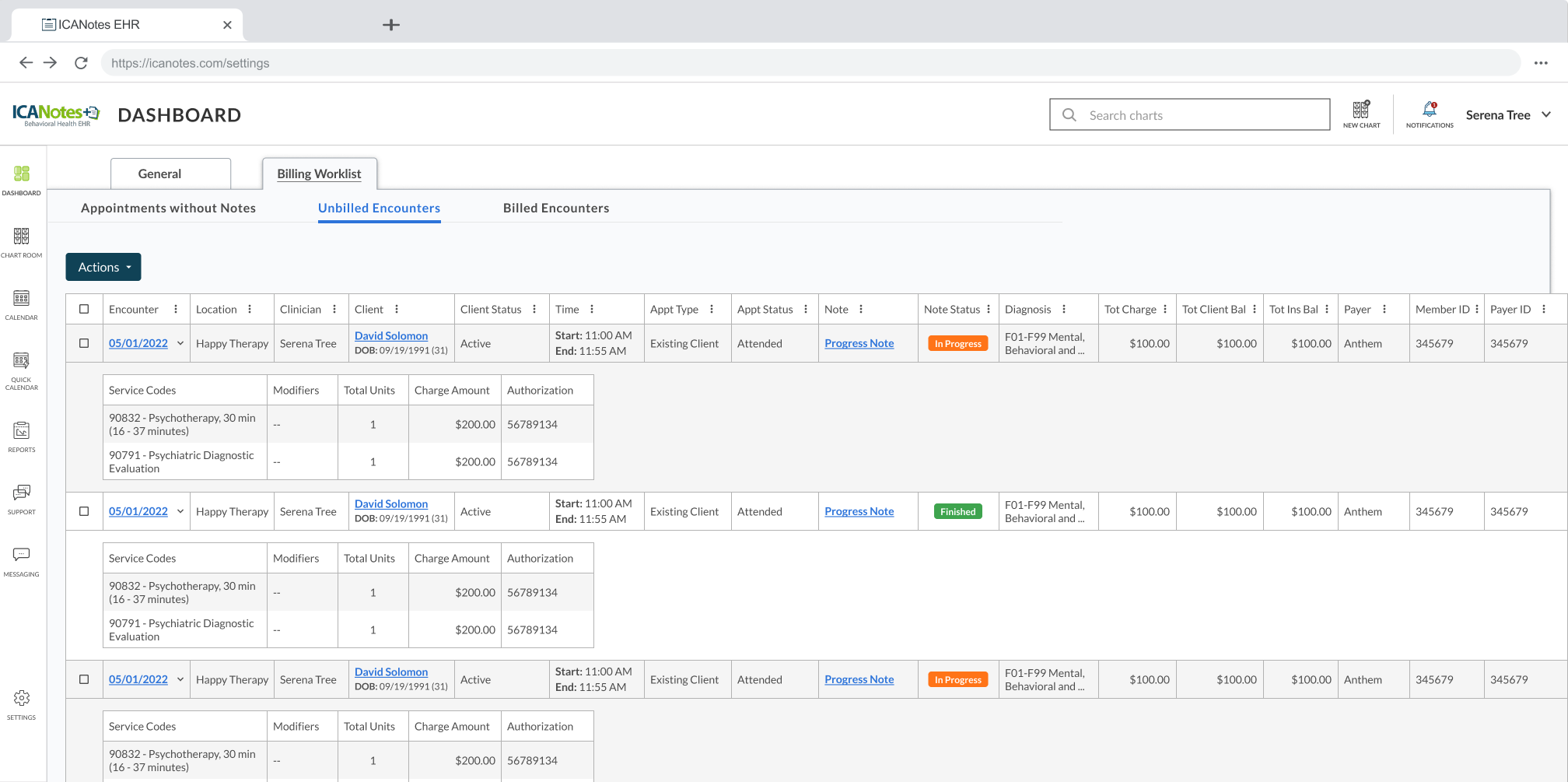
This structure forced billers to jump across tabs to piece together information. Core pain points included:

  • Redundant actions like “Mark as Unbilled” living inside dropdowns.

  • No way to search by patient ID, claim number, name, or DOB.

  • No global filtering across claim statuses (Generated, Ready to Submit, Submitted, Rebill, Secondary).

  • No direct claim editing—users had to click multiple times to get to fields buried deep in the flow.

  • A reliance on a bottom button bar that was far from where billers worked, slowing navigation.

The result: a system that was unintuitive, inefficient, and inaccessible to anyone without deep billing experience.

My Solution

I proposed a ground-up redesign that rethinks workflows, simplifies navigation, and applies our new design system (AA standards) for clarity and consistency. Key improvements included:

  1. Unified View – Instead of multiple tabs, all claims and encounters are visible in one place, with global filters for All, Ready to Submit, Submitted, Rebill, Secondary, etc.

  2. Powerful Search – Added the ability to search by patient ID, claim #, name, or DOB directly in the worklist.

  3. Prominent Generate Claim – Elevated as the first step in billing, now a clear call-to-action in the top bar.

  4. Edit Mode – A game-changing flow where unbilled encounters automatically line up. Billers can move through them one by one via a slide-in modal, staying in flow without navigating away.

  5. Expanded Edit Modal – Redesigned to house:

    • Claim fields (patient info, provider, diagnosis/procedure codes, insurance, billing info, MCM auth)

    • Rebill + Secondary Claim actions

    • Export/Print reports and HCFA forms

    • Full inline editing capability without breaking workflow.

  6. Consistency + Usability – All redesigned within the new design system, clean grid, brand fonts/colors, and accessibility baked in.

New Unified View

All claims in one place — no more jumping between tabs. A single, clean view brings efficiency and clarity to billers managing high volumes.

Slide-in Edit Modal: Edit Mode Workflow

A world of its own — every claim field, from patient info to insurance, editable in a single modal. Includes Rebill and Bill Secondary options without deep navigation.
Unbilled encounters automatically line up in sequence. Billers can move through claims one by one without losing track
Billers stay on task with a structured flow that shows progress through pending edits, reducing missed claims and stress.

Global Search + Filters

Quickly find what matters. Search by claim, patient, or date of birth, and filter by claim status to stay focused on the task at hand.

Export + Print Options

Reports and forms at your fingertips. Export data, print billing reports, or generate HCFA forms directly from the worklist.

Generate Claim Prominence

Billing starts here. The ‘Generate Claim’ action is now clear and accessible, reducing confusion and guiding users to the first step.

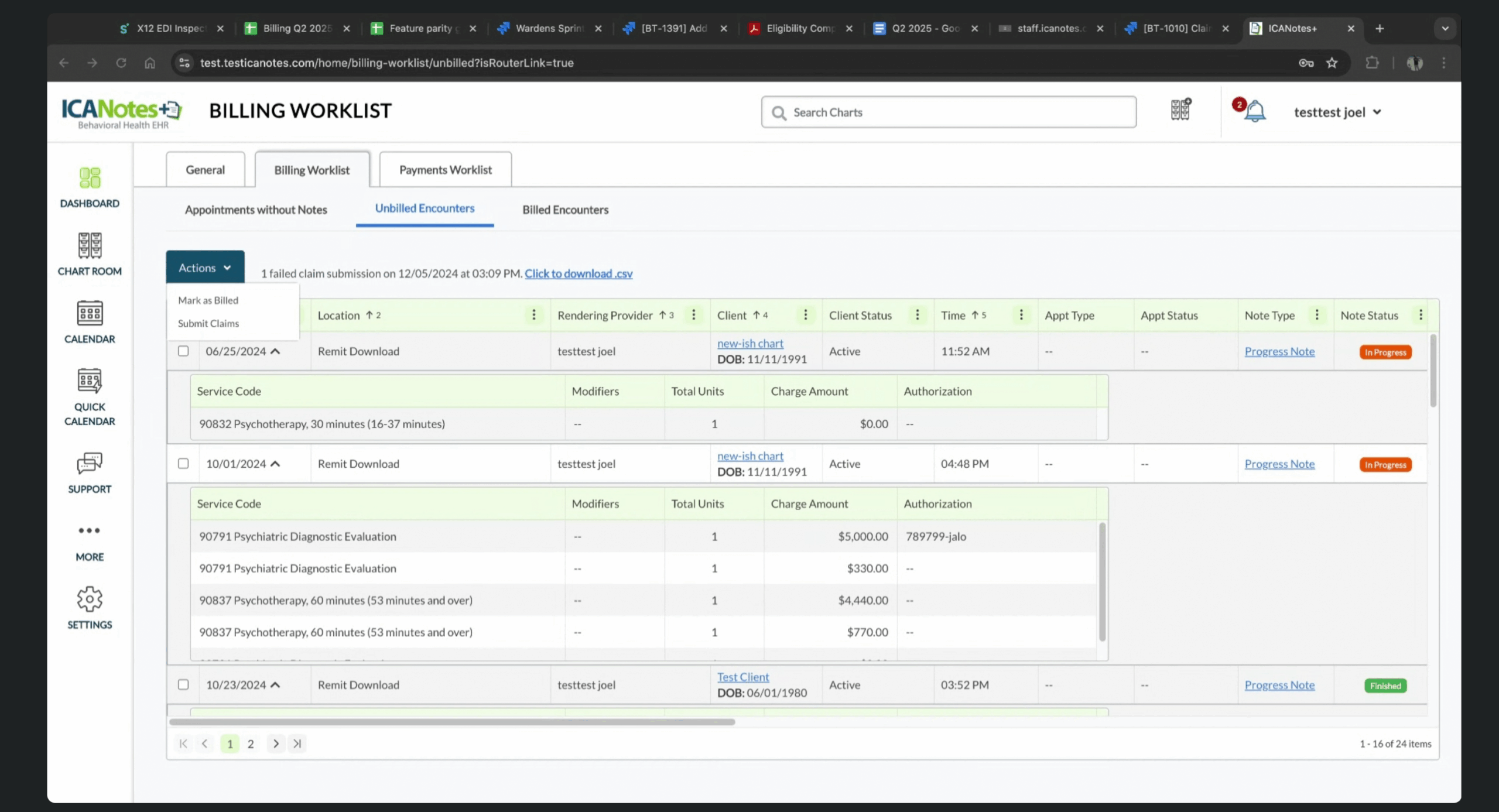
This is how it looked

The Impact

  • Removed redundant flows and simplified the worklist into one intuitive screen.

  • Reduced clicks to edit claims from many to one.

  • Made billing accessible to both experienced and novice users.

  • Reframed ICANotes from being seen as a “difficult, old-school” system into one with modern, intuitive workflows that billers could actually enjoy using.